Voimeet
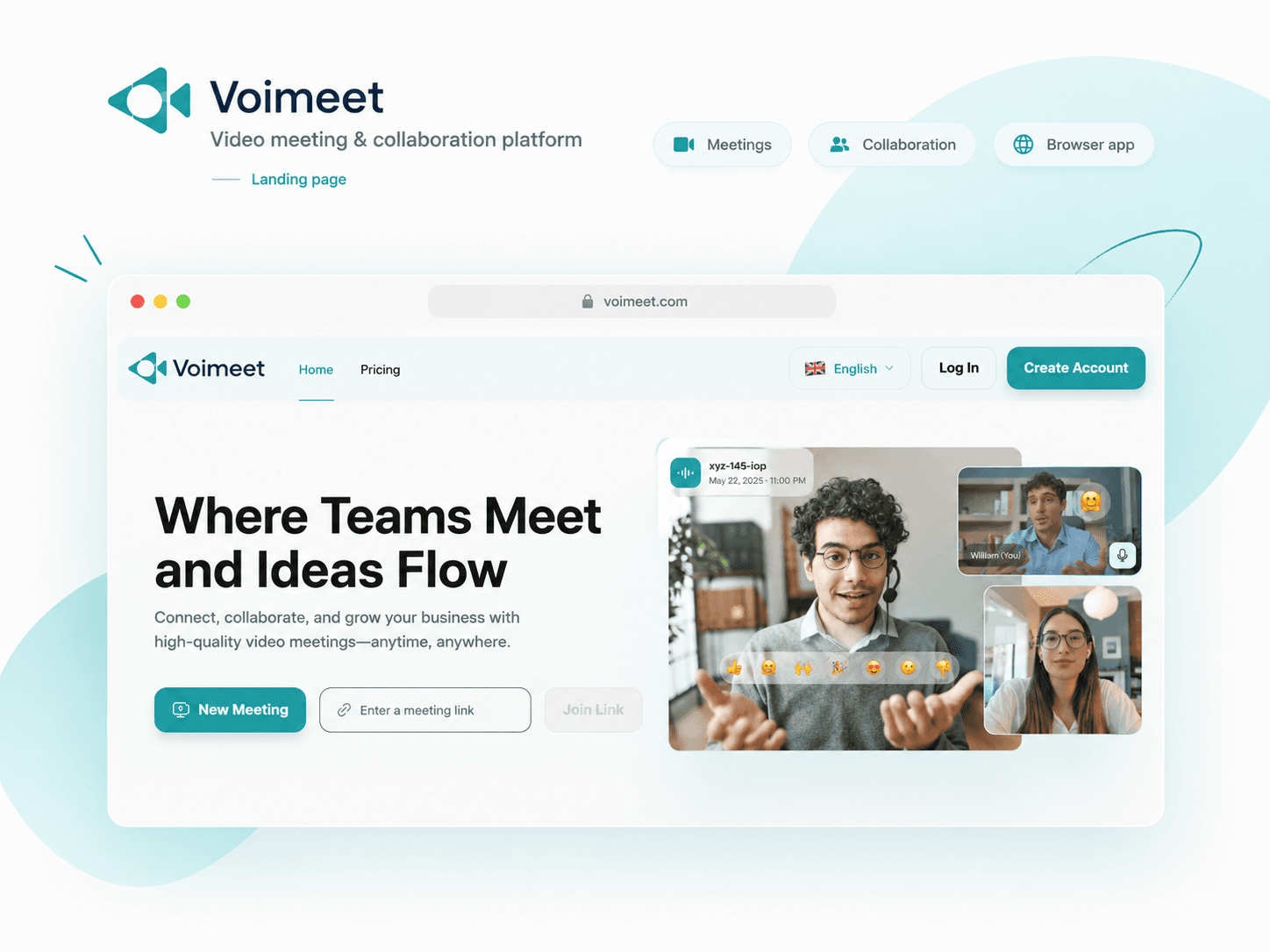
A video meeting and collaboration platform for browser, Android and iOS. Built around the live room where teams meet, share and work together.
Built for Teams, educators, clients and communities meeting across web and mobile.
Share.
Create.Web · Android · iOS
- Role
- Software engineer at Techsfera
- Timeline
- At Techsfera
- Team
- Techsfera
- Core stack
- Jitsi, Opus, Etherpad, Jibri
- Scope
- Web, Android and iOS
01Product experience
One meeting lifecycle across web and mobile
From the public website to the live room, Voimeet keeps entry, conversation and collaboration tools close together.
02Key outcomes
Built around the live room
The product brings joining, meeting, collaboration and moderation into a single meeting experience.
Cross-device meeting access
Browser, Android and iOS entry points for shared meetings.
Room collaboration
Chat, reactions, polls, whiteboards and breakout rooms stay inside the meeting.
Simple joining flow
Room links, guest access and pre-join checks reduce meeting friction.
Moderation and access
Protected rooms, authentication and moderator controls keep sessions organized.
03Problem & context
Why Voimeet
A useful meeting product has to do more than connect cameras. People need to join easily, present an idea, work together, and keep a conversation organized across different devices.
Voimeet brings those activities into a shared meeting experience: link-based access, video and audio controls, screen sharing, participant management, and tools for collaborative work.
Easy meeting entry
People need links, guest access and pre-join checks before the call begins.
Collaboration during calls
Groups need chat, polls, reactions and whiteboards without leaving the room.
Room control
Hosts need participant controls, protected access and moderation.
04My contribution
Product engineering at Techsfera
I worked on Voimeet at Techsfera, contributing to the company’s video meeting and collaboration product. The platform connects browser and mobile meeting experiences with tools for shared work and room moderation.
- Contributed to browser and mobile meeting experiences
- Worked with shared room controls and collaboration features
- Helped connect meeting tools for participants and moderators
- Supported product surfaces shown across the website and apps
05Collaboration tools
Where the meeting becomes a workspace
Explore the product areas behind joining, meeting, collaboration and room moderation.
01Joining a meeting
Make room access quick while still supporting protected and authenticated meetings.
View detailsClose details
A room link gives participants a common starting point. Hosts can name a room and share its URL, while the pre-join screen lets people check their microphone and camera before entering.
02Video and audio
Keep core controls easy to reach across cameras, microphones and layout modes.
View detailsClose details
Participants can choose how they appear and listen, from an audio-only call to a multi-person video grid. Meeting controls keep camera, microphone, and presentation choices close at hand.
03Collaboration
Bring chat, polls, reactions, whiteboard and shared documents into the same session.
View detailsClose details
The collaboration tools give participants ways to contribute beyond speaking. Breakout rooms support smaller discussions, while polls, a shared whiteboard, and collaborative documents help a group explore ideas and make decisions.
04Moderation
Give hosts enough control to keep meetings organized as more people join.
View detailsClose details
A participant view keeps the room understandable as more people join. Moderation tools let hosts manage participation, while speaker and participant statistics provide context during the meeting.
05Connected services
Extend meetings through recording, streaming, phone access and deployment services.
View detailsClose details
The platform’s integration options extend a meeting beyond the people in the room. Jibri supports server-side recording and live streaming; Jigasi provides a bridge between telephone or SIP users and Jitsi meetings. These workflows use the services and storage configured for the deployment.
06How it works
Meeting platform architecture
A high-level view of the product capabilities described in the case study.
Clients / applications
Meeting layer
Collaboration
Extensions
07Engineering highlights
What I worked around
Meeting flows that stay understandable while people collaborate.
Meeting UX across surfaces
Connected browser and mobile meeting flows with consistent room controls.
Participant coordination
Room panels, breakout rooms and moderation controls support larger conversations.
Realtime collaboration
Chat, polls, whiteboard and reactions keep the meeting active beyond video.
Access boundaries
Guest access, protected rooms, authentication and JWT-ready deployment paths.
08Technologies
Tools & technologies
- Jitsi
- Opus
- Etherpad
- Jibri
- Jigasi
- JWT
09Next steps
Have a collaboration product to build?
Let’s turn your product workflow into something people can use, ship and grow.